

 You’re here




Your providers already log the sessions. Now they count for Medicaid.
The session log fills in the billing from the IEP, every service is checked against your state’s rules before it’s submitted, and one dashboard shows what’s ready to bill, what’s blocking it, and how ready you are for an audit.
- Direct-service billing
- Random Moment Time Study
- Administrative claiming
- Audit readiness score
One upgrade, both funding streams
Everything school Medicaid asks of you, on the student record you already keep.
Medicaid & RMTS is an upgrade to the Special Education bundle. It reads the IEPs, consents and session logs your team already keeps, so there’s nothing to re-enter.
-
Direct-service billing
Delivered sessions become claims, with procedure, diagnosis, units and modifiers filled in for the provider.
-
Parental consent
A separate Medicaid consent, signed electronically or on paper, with revocation and the yearly parent notice handled for you.
-
Provider credentials
NPI, license and taxonomy on file, a co-sign queue for supervised providers, and nightly checks against the federal exclusion list.
-
Random Moment Time Study
Statistically sampled moments, answered in about 30 seconds from an emailed link, with no sign-in.
-
Administrative claiming
Quarterly claims built from your certified time study and cost pools, tracked through submission to payment.
-
Revenue & audit readiness
Revenue captured, what isn’t billable and why, denials to rework, and a single audit readiness score.
On the session log
Providers don’t have to know billing rules.
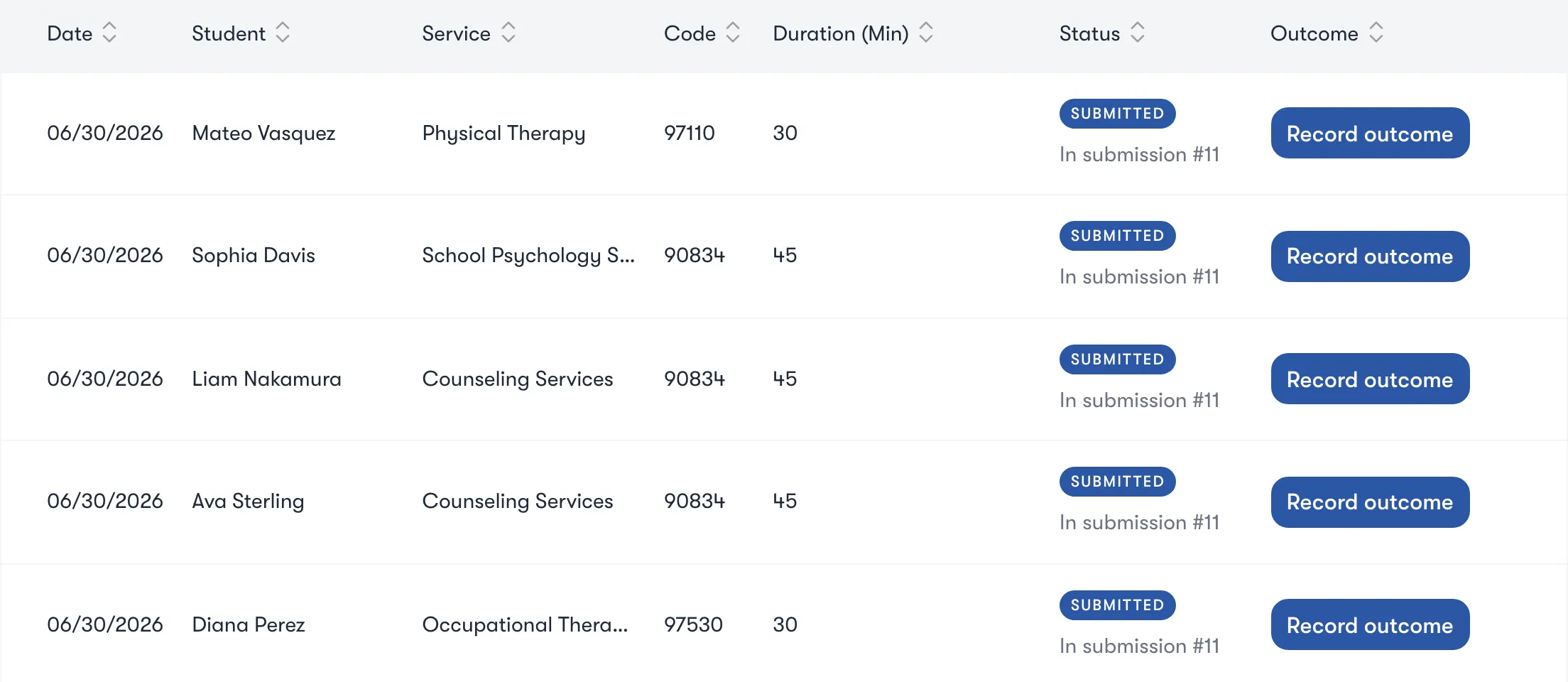
When a provider marks a session delivered, its Medicaid billing section is already filled in from the IEP: the procedure code, the diagnosis, the location and the supervising provider. Minutes become units by the 8-minute rule, group sessions split their minutes across students, and therapy and telehealth modifiers are added automatically. Only delivered sessions bill, and providers attest where your state requires it.
- Prefilled from the IEP CPT/HCPCS, ICD-10, location and supervisor.
- Units by the 8-minute rule Group sessions split across students.
- Modifiers added for you GN, GO, GP, HA and telehealth.
Before anything is submitted
Every service is checked twice, and every failure tells you the fix.
Validation runs when a log is saved and again when a submission is built. Each failure links to the exact place to fix it, and the service re-checks itself once it’s fixed. Your state can add its own rules, like prior authorization.
- Consent Medicaid consent on file and covering this service.
- Eligibility Student eligible on the date of service.
- Credentials Provider type allowed, license valid that day, not on the exclusion list.
- Supervision Supervised sessions co-signed before they bill.
- The IEP Plan active and not overdue, service on the plan and delivered.
- The log Code allowed for the provider’s role, diagnosis and location present.

The Medicaid dashboard
See where your Medicaid revenue is going, and where it isn’t.
Pick a month, quarter or fiscal year and see revenue captured, the value of billable services priced from your state’s rate card, the validation pass rate and a fiscal-year projection. Top non-billable reasons ranks why services can’t bill, and one click shows the services behind each one. Claims aging, provider productivity and denied claims awaiting rework are on the same page.
Audit readiness
One number for how ready you are if the auditor calls today.
The audit readiness score, out of 100, weighs your validation pass rate, how fresh your consents are, valid provider credentials and complete submission packets. Every billing action is written to an audit log that can’t be changed, including every time someone views a student’s billing data, and audit defense packets download alongside each submission.
- 80 and above Audit-ready.
- 60 to 79 Close the gaps it lists.
- Under 60 Urgent, with the blockers named.

Submissions
The monthly submission builds itself. A person still signs it.
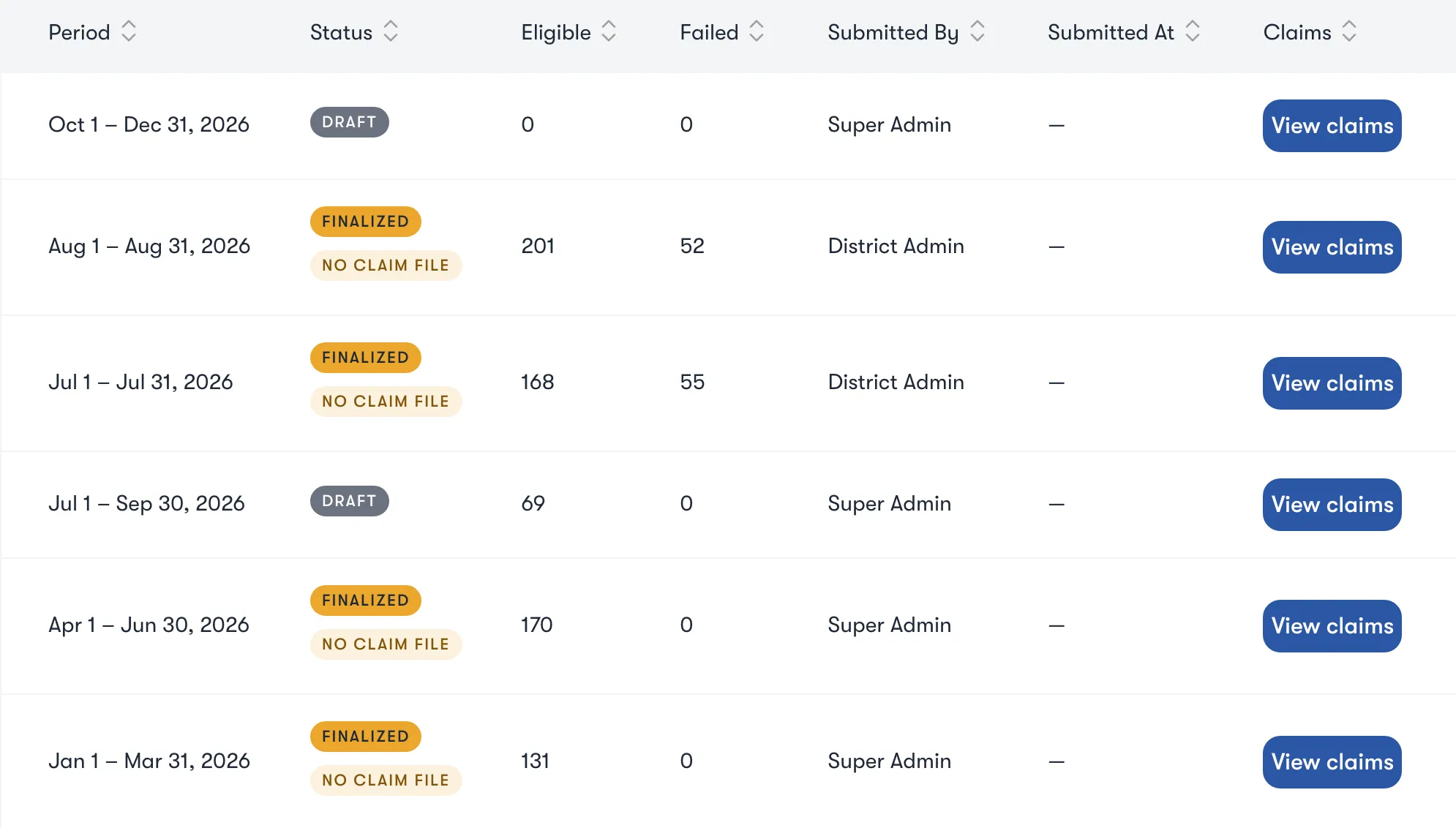
Nothing is billed automatically. Each month’s draft builds itself from the previous month’s validated services, and a coordinator reviews and signs it, which locks the services behind it. Self-filing states get an 837P claim file; states that bill through a vendor get the worksheet they expect. Acknowledgement and remittance files import, so nobody retypes outcomes.
- Draft on the 2nd Built from last month’s validated services.
- Review and sign The services lock, with the signature on record.
- File it your state’s way 837P claim file or vendor worksheet.
- Import the answers 999, 277CA and 835 files mark each claim.
- Rework denials AI suggests the reason; correct and rebill, or write off with a reason.
Parental consent
Consent and the annual notice, handled.
Medicaid consent is kept apart from evaluation and service consent, can cover specific services, and is signed electronically or recorded on paper. Revocations are recorded, and any change re-checks every unbilled service. The yearly parent notice goes out on its own, with reminders 60 and 30 days before it expires, and a printable letter for families without email.
Random Moment Time Study
A time study your staff will actually answer.
Set up a pool once and carry its roster forward each quarter. Moments are drawn by FTE-weighted random sampling, spread evenly across weeks, and the random seed is saved so the sample can be reproduced for an audit. Staff answer from a private emailed link with no sign-in, in about 30 seconds.
- 1
Build the pool
Carry forward last quarter, upload a CSV or add staff by hand, with FTE and salary.
- 2
Sample
FTE-weighted, spread across weeks, seed saved.
- 3
Answer in 30 seconds
A private link, a 24-hour window, reminders at 4 and 20 hours.
- 4
Watch the response rate
An alert when responses are tracking under 85%.
- 5
Certify
Response rate and sample size checked, with a statistical compliance report.
Administrative claiming and cost settlement
Quarterly claims and the annual settlement, built from your own data.
After each quarter, the administrative claim builds itself from your certified time study and cost pools, and is attested with the signer’s name, time and device before it’s submitted. The annual cost settlement is prepared and attested the same way. Each state pays differently, and Impact Suite follows yours: in a state that runs its own time study, like Florida, those parts stay out of your way; in a state that pays on cost, like Utah, the dashboard tracks interim payments and the settlement instead of per-claim payments.
Part of the bundle
Every notice drafted. Every clock started. Every minute counted.
Medicaid & RMTS shares one student record with every other part of Impact Suite, so what one team learns, the next team sees.
Questions
Questions about Medicaid & RMTS
Does Impact Suite bill Medicaid automatically?
No. Drafts build themselves, but a person reviews and signs every submission before it goes anywhere, and every billing action is on an audit log.
Do our providers need to learn billing codes?
No. The session log fills in the procedure, diagnosis, units and modifiers from the IEP, and validation catches anything that won’t bill before it’s submitted.
Does it work in our state?
Medicaid & RMTS follows each state’s own rules, filing format and payment model. Ask us about yours, and we’ll show you how it’s set up.
How is it sold?
Medicaid & RMTS is an upgrade to the Special Education bundle, priced per student with no per-user fees, and available through SHI.
See Medicaid & RMTS in action.
We’ll walk your team through it live. Priced per student, with no per-user fees. Available through SHI.

Hey, I’m here for you. Ask me anything about Impact Suite: what it does, how a feature works, or how districts get started.
Chats are saved for 90 days to improve answers. AI answers can be wrong. Please don’t share student information here.