

 You’re here


Many students who struggle never say so. Give every student a quiet way to tell you.
Schedule short wellness check-ins for whole grades, give validated clinical screeners one student at a time, and when an answer suggests risk, the counselor hears the same day.
- PHQ-A
- GAD-7
- SDQ
- CATS
- ASQ
- C-SSRS
Two kinds of assessment
Check-ins for everyone. Screeners for the student in front of you.
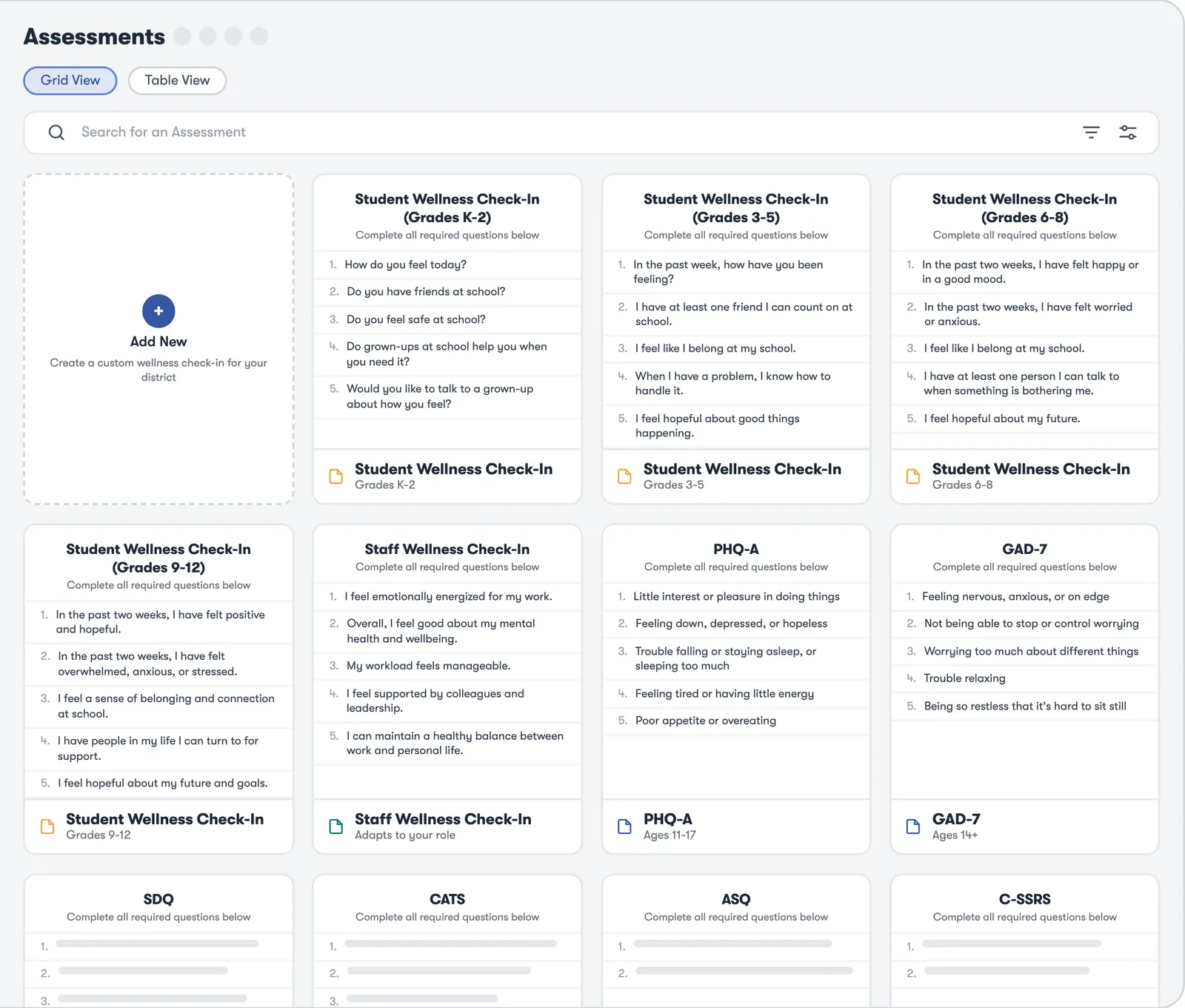
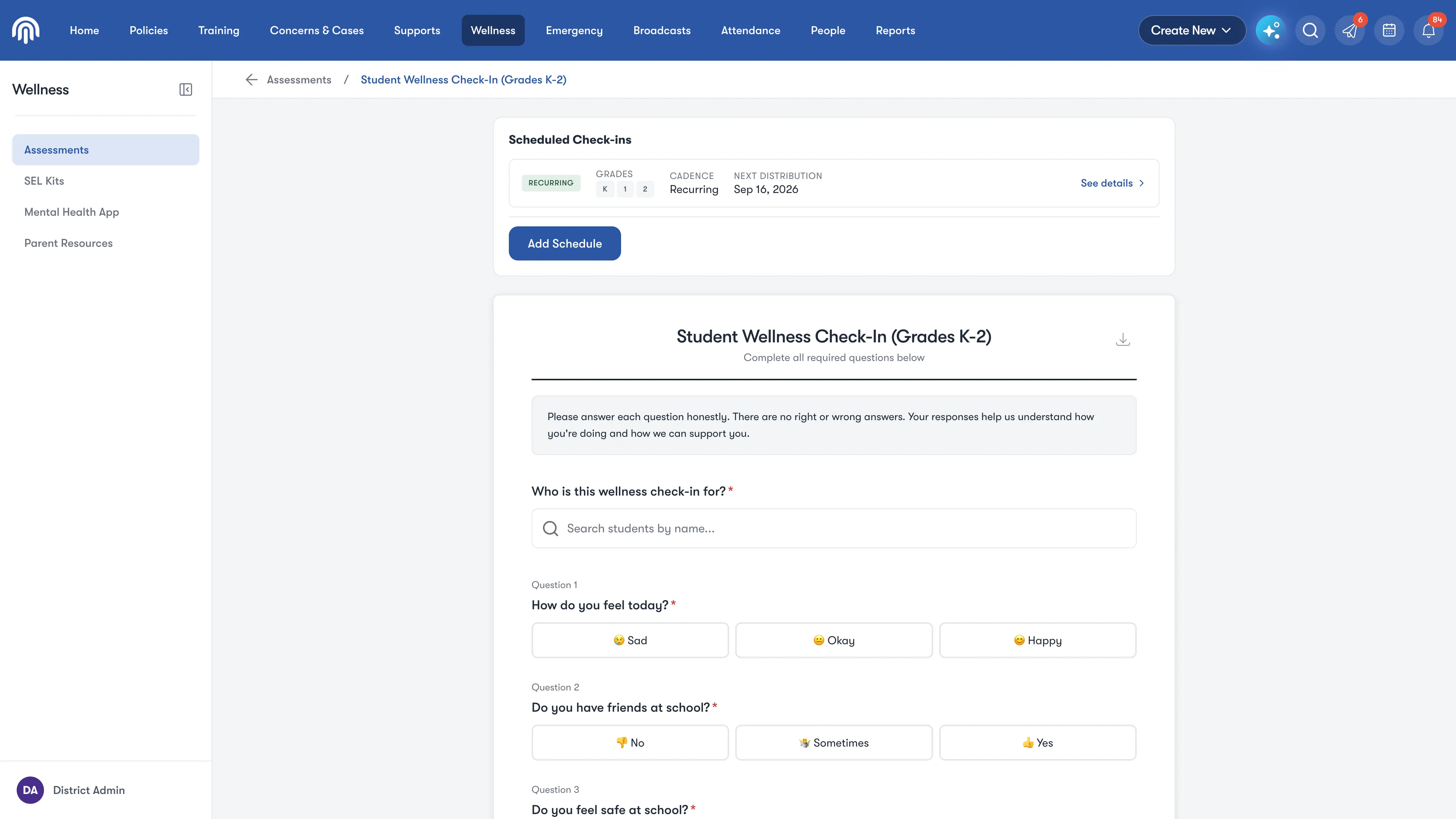
Wellness check-ins for grades K-2, 3-5, 6-8 and 9-12, plus one for staff, can go to one student or to whole grades, once or on a recurring schedule. Clinical screeners are given one to one by trained, approved staff: PHQ-A for depression, GAD-7 for anxiety, SDQ for strengths and difficulties, CATS for trauma, and ASQ and C-SSRS for suicide risk.
Consent and reach
Your district’s consent policy, built into the schedule.
When you schedule a check-in, choose parent opt-in, parent opt-out or manage consent manually. Students get an email link and complete it on their own; for students under 11, the link goes to a parent or guardian. You see who has completed it, who opted out and whose consent is pending, and counselors can write their own check-ins, with scored categories and risk levels.
When an answer suggests risk
The counselor hears the same day.
High-risk results reach the counselor as a follow-up task due the next day, plus an email, and a crisis result also emails the school’s counselors and social workers. A positive screen opens into your district’s ASQ or C-SSRS protocol, with the comprehensive assessment, parent interview and safety plan on one suicide risk case. A screener never replaces your crisis protocol: if a student is in immediate danger, act first and record it after.
- A student can ask for helpIf they say they’d like to talk to someone, their counselor gets a support request task.
- Crisis protocol on screenA crisis result lists the required safety actions before staff move on, then goes straight into a C-SSRS or ASQ.
Nobody who asked is missed
Every student who asked for help, on one list.
The Mental Health report keeps every student who asked for help on a check-in in one list, with who reached them and when, so someone always follows up. It also shows coverage, risk levels and trends across schools. Staff wellness appears only as totals and averages, and only administrators see it.
Part of the bundle
See the warning signs. Respond as one team.
Mental Health Screenings shares one student record with every other part of Impact Suite, so what one team learns, the next team sees.
See Mental Health Screenings in action.
We’ll walk your team through it live. Priced per student, with no per-user fees. Available through SHI.

Hey, I’m here for you. Ask me anything about Impact Suite: what it does, how a feature works, or how districts get started.
Chats are saved for 90 days to improve answers. AI answers can be wrong. Please don’t share student information here.