

 You’re here



Use a proven framework, or build your own. Every step stays on one record.
Eight research-based frameworks run natively in Impact Suite, from screening through safety and intervention plans, case monitoring, plan adjustment and community resource referrals.
- CSTAG
- NTAC
- Salem-Keizer
- BCS/NTAC
- CTAMP
- PCCD
- ALBTAM
- Florida
Frameworks
One model, every school.
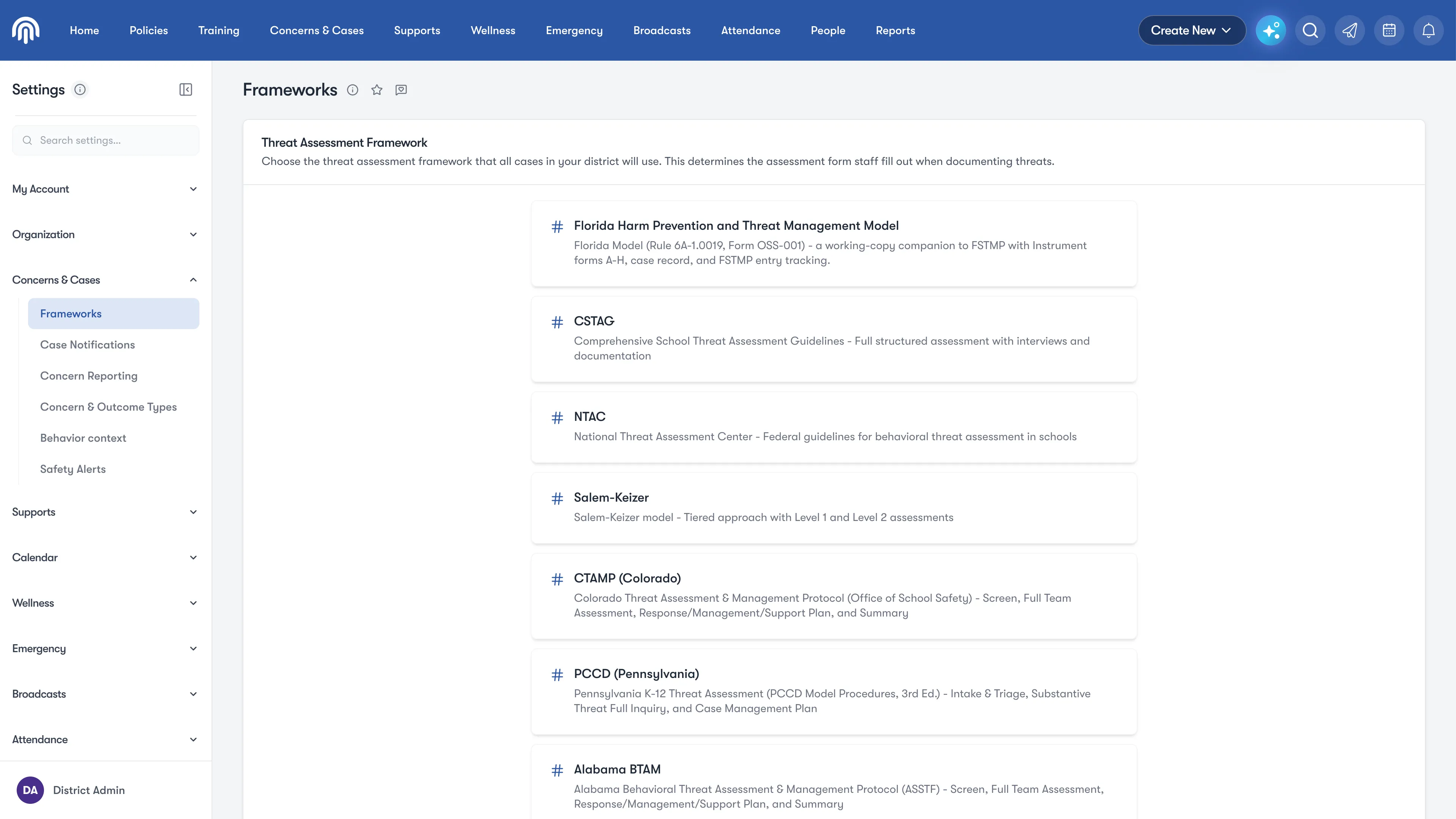
A district administrator picks the threat assessment framework once, usually at setup with your safety and mental health leads. Every new case then uses that model’s forms, so every school documents risk the same way. That matters when a case moves between buildings or comes under review.
- National and state modelsCSTAG, NTAC and Salem-Keizer, plus CTAMP (Colorado), PCCD (Pennsylvania), Alabama BTAM, Florida’s Harm Prevention and Threat Management Model, and the NTAC-aligned BCS workflow.
- Your own protocolDesign your district’s own forms and steps, and run them on the same case record with the same team workflow and documentation.
Opening a case
From a concern to a case, without retyping.
Start a case from the Threat Assessments page, or from the concern that raised the worry, so the original report comes with it.
- 1
Describe what happened
In your own words, or skip straight to the form.
- 2
Check the details
Impact Suite fills in the case type, urgency, title and description for you to correct.
- 3
Assign it
Choose who leads the case, then create it.
- 4
Complete the assessment
Your framework’s forms are waiting on the case’s Documents tab.
The case record
Forms, notes, tasks and history in one place.
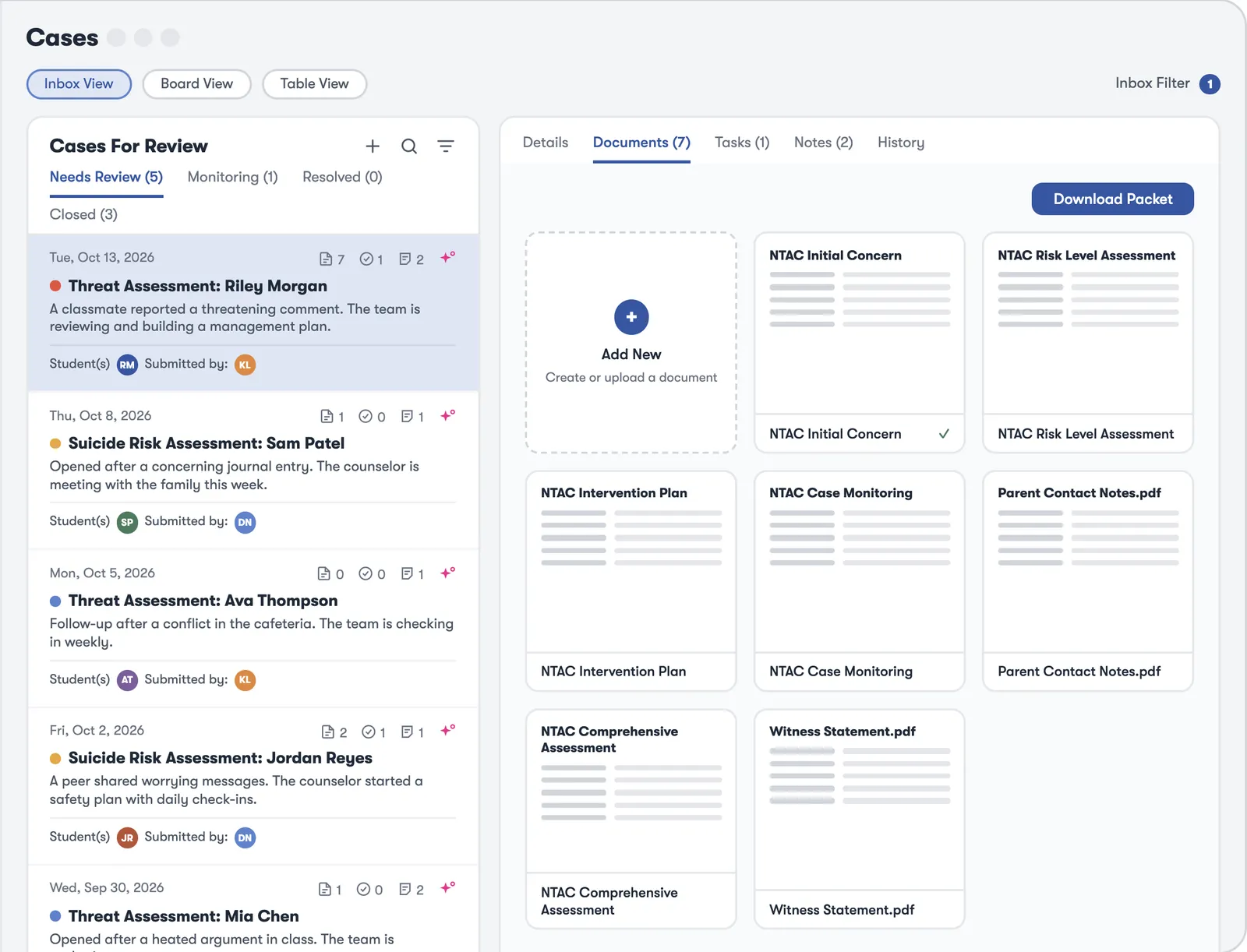
Every case has Details, Documents, Tasks, Notes and History tabs. Fill in each assessment form step by step, assign follow-up work with due dates or ask for suggested tasks based on your model, and see every change, by whom and when. If your district has a case packet set up, Download Packet saves the case as one PDF.
Who sees it
The right people told. Only the right people.
By default, school administrators are notified of every new case, and High or Emergency cases also send a text. Teachers and school staff don’t see threat assessments: their concerns can lead to a case, and they may be asked to help with tasks. Districts can limit each threat assessment to administrators, the threat assessment team and the people added to it. Only administrators can delete a case; everyone else archives.
The whole picture
Every signal lands on one student.
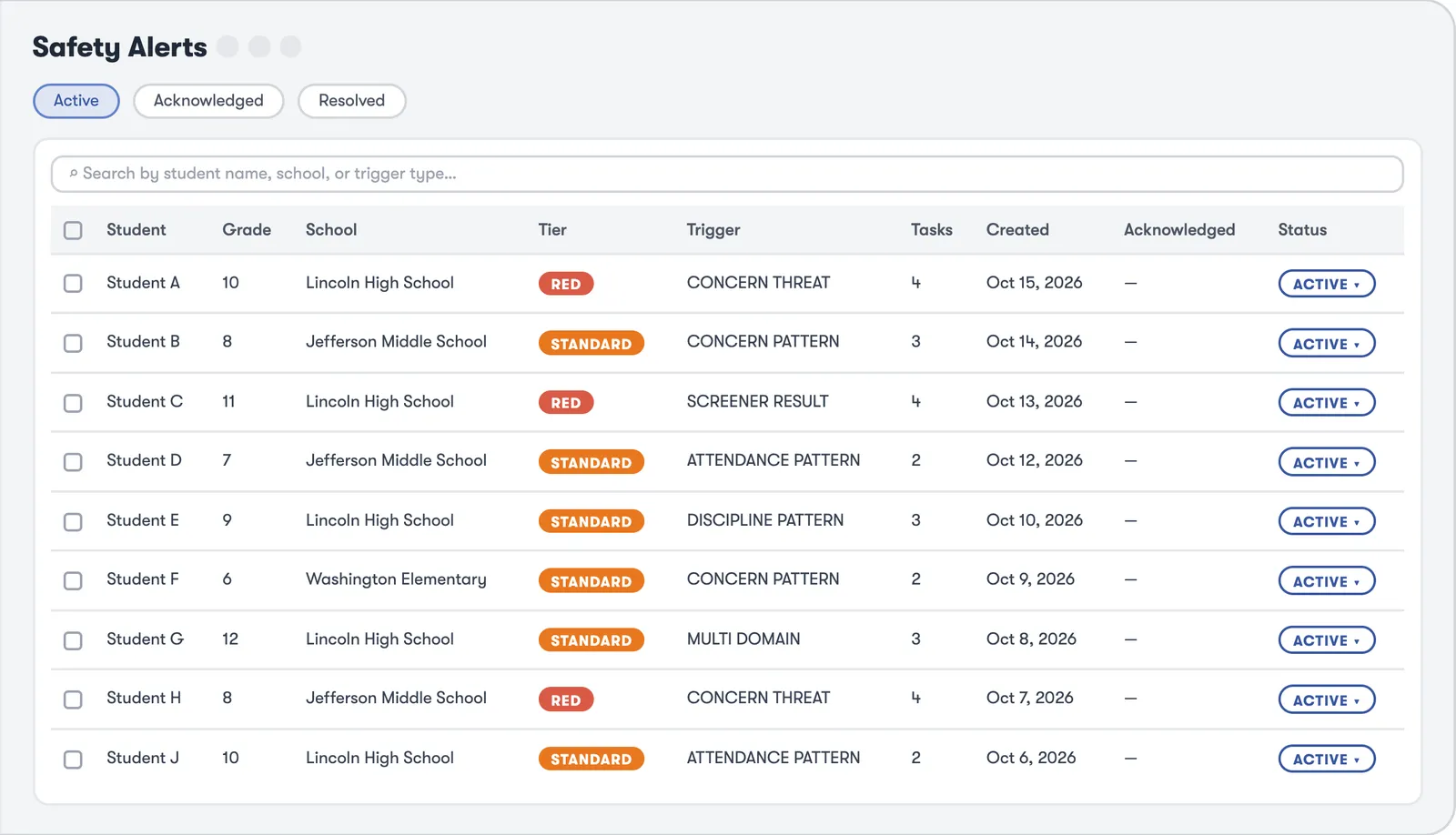
Concerns, discipline, mental health screeners, anonymous tips and bullying reports share one student record, so the team sees the pattern no single staff member would. The response moves the same way every time: a safety alert on the NTAC framework, a threat assessment in your framework, then safety and intervention plans that are monitored and adjusted.
Part of the bundle
See the warning signs. Respond as one team.
Threat Assessment shares one student record with every other part of Impact Suite, so what one team learns, the next team sees.
See Threat Assessment in action.
We’ll walk your team through it live. Priced per student, with no per-user fees. Available through SHI.

Hey, I’m here for you. Ask me anything about Impact Suite: what it does, how a feature works, or how districts get started.
Chats are saved for 90 days to improve answers. AI answers can be wrong. Please don’t share student information here.